
Best Free Cloud Storage
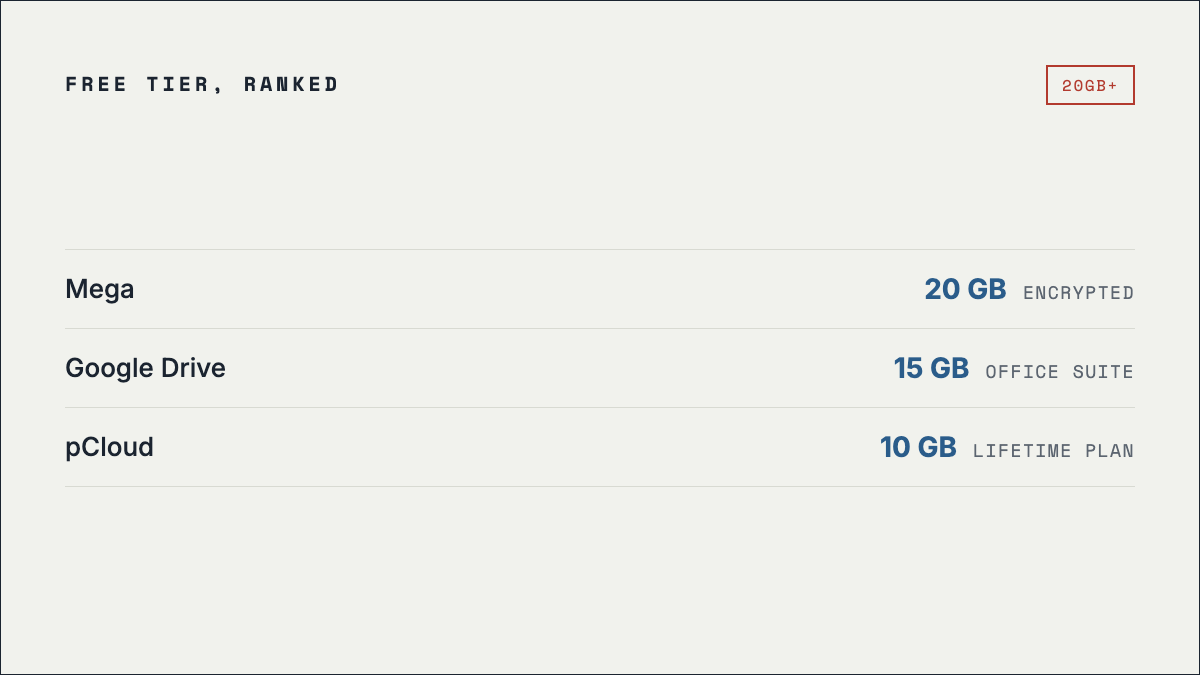
Mega gives the most free cloud storage at 20 GB, followed by Google Drive at 15 GB. But the headline figure is the wrong thing to choose on. Google's 15 GB is shared with Gmail and Photos, pCloud's 10 GB only unlocks after a setup checklist, and only two of the seven services below encrypt your files in a way the provider itself cannot undo.
Free tier comparison
| Service | Free storage | Zero-knowledge | Worth knowing |
|---|---|---|---|
| Mega | 20 GB | Yes, free tier | Largest free tier, encrypted by default. Transfer speed is throttled on the free plan. |
| Google Drive | 15 GB | Not offered | Shared pool across Gmail, Drive and Photos, so a full inbox eats the same quota. |
| pCloud | 10 GB | Paid plans only | Full 10 GB unlocks only after a setup checklist. Client-side encryption is an add-on. |
| Icedrive | 10 GB | Paid plans only | Encryption sits behind the paid plan, so free files are stored readable by the provider. |
| Microsoft OneDrive | 5 GB | Not offered | Built into Windows and Office. Smallest of the mainstream tiers. |
| Proton Drive | 5 GB | Yes, free tier | Swiss jurisdiction, zero-knowledge on the free tier. |
| Dropbox | 2 GB | Not offered | Smallest free allowance, but the widest third-party app support. |
Figures last verified 24 September 2026.
The gigabyte number is misleading
Three of these tiers are smaller in practice than they look on the pricing page.
- Google Drive's 15 GB is a shared pool. It covers Gmail, Drive and Google Photos together. If you have used the same Gmail account for years, a large share of that quota is already spent on mail and photo backups before you upload a single file.
- pCloud's 10 GB is conditional. You start with less and unlock the rest by working through a checklist — verifying your address, installing the app, and so on.
- Mega's 20 GB is real, but throttled. The storage is genuinely yours; the free plan limits transfer speed, which bites hardest on the large files that made you want 20 GB.
Encryption is the column that matters
"Encrypted" appears on every provider's marketing page, but it usually means encrypted in transit and encrypted on their disks — with the provider holding the keys. Zero-knowledge (or client-side) encryption means the file is encrypted before it leaves your device, so the provider cannot read it even if compelled to try.
On the free tiers above, that splits three ways. Mega and Proton Drive give you zero-knowledge encryption at no cost. pCloud and Icedrive sell it as an add-on, so their free storage is held in a form they can read. Google Drive, OneDrive and Dropbox do not offer it at all. If a file would be a problem in someone else's hands, that distinction matters more than five extra gigabytes.
Which to pick
- Most free space: Mega, 20 GB. It is Kim Dotcom's post-Megaupload company — see how the two are related.
- Best for documents: Google Drive or OneDrive, for native editing in an office suite you already use.
- Best for privacy: Proton Drive if you want Swiss jurisdiction, Mega if you want space as well.
- Best long game: pCloud, if a one-off lifetime plan appeals more than a subscription.
- Not actually storing anything? Use a free transfer tool instead — uploading a one-off file to cloud storage is the slow way round.
Frequently asked questions
Which free cloud storage has no file size limit?
None of them. Every free tier caps individual uploads below the total quota. For one very large file, a dedicated transfer service from the alternatives list is usually faster than uploading into cloud storage and sharing from there.
Can I combine free tiers to get more space?
You can, and people do, but you are then managing several accounts and remembering which file lives where. It also does nothing for the file-size cap on any individual upload.
Do free accounts get deleted for inactivity?
Several providers reserve the right to reclaim storage on accounts left unused for long periods. Treat a free tier as working space, not as your only copy of anything you cannot replace.
megaupload.nz is an unofficial fan recreation of the pre-2012 interface and is not affiliated with Kim Dotcom, Megaupload Limited, or Mega Limited. No service listed here is affiliated with this site.