
Send Large Files Free
To send a large file for free, upload it to a transfer service and send the link — not the file. Which service depends entirely on size: up to 3 GB WeTransfer is simplest, up to 20 GB Gofile takes it without an account, and above 20 GB Send Anywhere moves it directly between the two devices with no ceiling at all.
Pick by size
- Under 25 MB — just attach it to an email.
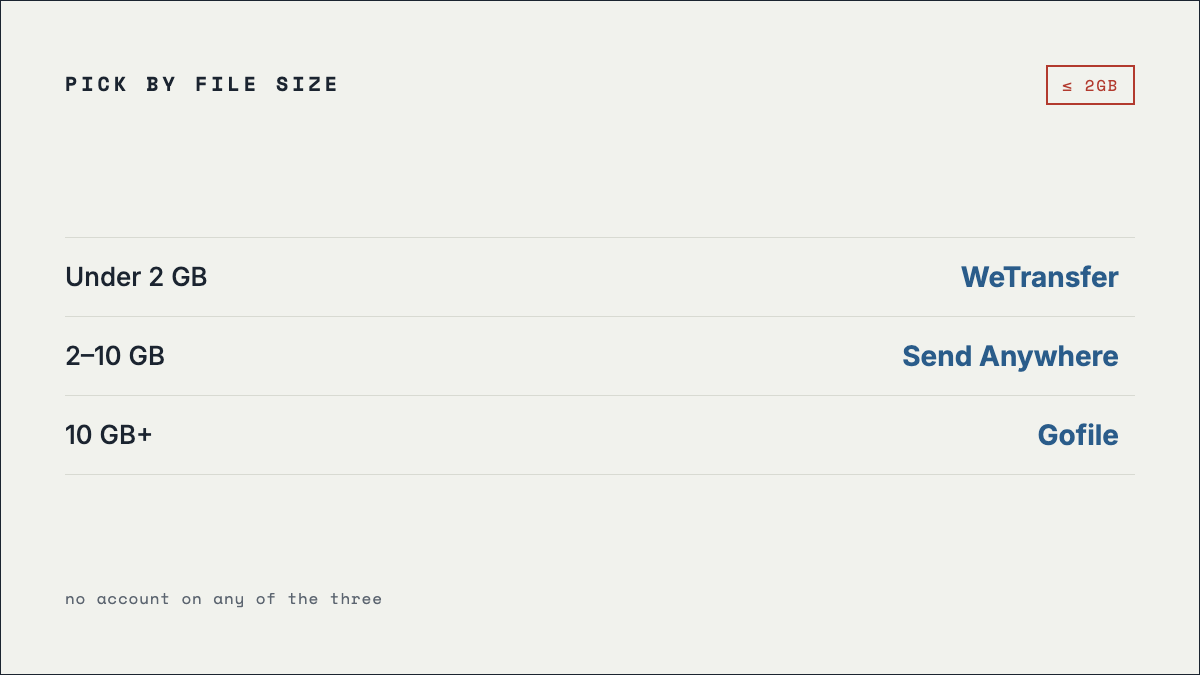
- Up to 3 GB — WeTransfer. Easiest for the recipient.
- Up to 20 GB — Gofile. No account, handles folders.
- Over 20 GB — Send Anywhere, direct device to device.
- Confidential — encrypt it yourself first, then send by any of the above.
Step by step
- Check the size before you choose anything. Right-click the file and read its properties. This one step decides everything else, and it is the step people skip before discovering a 4 GB video will not go through WeTransfer.
- Compress only when it actually helps. Zipping a folder of documents can save a lot. Zipping video, photos or audio saves almost nothing, because those formats are already compressed — you will wait ten minutes to shave off two percent.
- Upload, and leave the tab open. Browser uploads are not resumable on most free services. Closing the tab or sleeping the laptop mid-transfer means starting again.
- Copy the link and check it yourself in a private window before sending it. That catches the common failure where the upload silently did not finish.
- Tell the recipient when it expires. Every free tier deletes files on a timer. If you do not say so, the link will be dead by the time they get to it.
What each free plan actually allows
| Service | Free limit | Kept for | The catch |
|---|---|---|---|
| Send Anywhere | Unlimited, device to device | Key expires in 10 minutes | The uncapped size applies to the direct peer-to-peer mode. Link-based transfers are capped. |
| Gofile | 20 GB per file | Kept while downloaded, removed when inactive | Free downloads are throttled and every download page carries ads. Password protection is paid. |
| WeTransfer | 3 GB per transfer | 3 days | Free use is capped at 10 transfers OR 3 GB total per 30 days, whichever comes first. |
| File.io | Small files | Deleted after one download | Genuinely one-shot. If the recipient opens the link twice, the second attempt fails. |
Figures last verified 24 September 2026.
Why email will not do it
Most mail providers cap attachments at around 25 MB, and that ceiling has barely moved in fifteen years while file sizes have grown enormously. A few minutes of phone video clears it easily. Mail servers also re-encode attachments, which inflates them further, so a file slightly under the limit can still bounce. Sending a link avoids all of it and lets the recipient download at their own pace.
If the file is confidential
None of the no-signup transfer services encrypts your file in a way the provider cannot undo. If the contents matter, encrypt the file yourself before uploading — a password-protected archive is enough for most purposes — and send the password through a different channel than the link. The alternative is a service with zero-knowledge encryption on its free tier, which means Mega or Proton Drive, both of which need an account.
Frequently asked questions
What is the largest file I can send for free?
20 GB per file through Gofile with no account. Send Anywhere has no ceiling device to device, because the file never lands on a server.
Do free transfer links expire?
Always. WeTransfer gives 3 days, Send Anywhere keys last about 10 minutes, File.io destroys the file after one download, and Gofile drops files nobody is accessing. If you need a file to stay up, use cloud storage instead of a transfer service.
Can I send a large file without creating an account?
Yes — see no sign-up file sharing for the four services that ask nothing of either side.
Isn't this what Megaupload was for?
It is. Megaupload was seized in January 2012 and never came back — the full history covers what happened. The services above are how people do the same job now.
megaupload.nz is an unofficial fan recreation of the pre-2012 interface and is not affiliated with Kim Dotcom, Megaupload Limited, or Mega Limited. No service listed here is affiliated with this site.